Call flows: how incoming calls are routed
What a call flow is, the steps you can build one from, and how drafts and live flows work.
Written By Axel Molist
Last updated About 1 month ago
A call flow decides what happens when someone rings one of your numbers. You build it as a diagram: the call comes in at the top, passes through the steps you add, and ends up ringing a person, a group, or a voicemail box. Admins build them under Settings > Call flows.
The steps you can use
Each step is a box on the canvas. Add one by selecting the box above it and choosing from the Add step list.
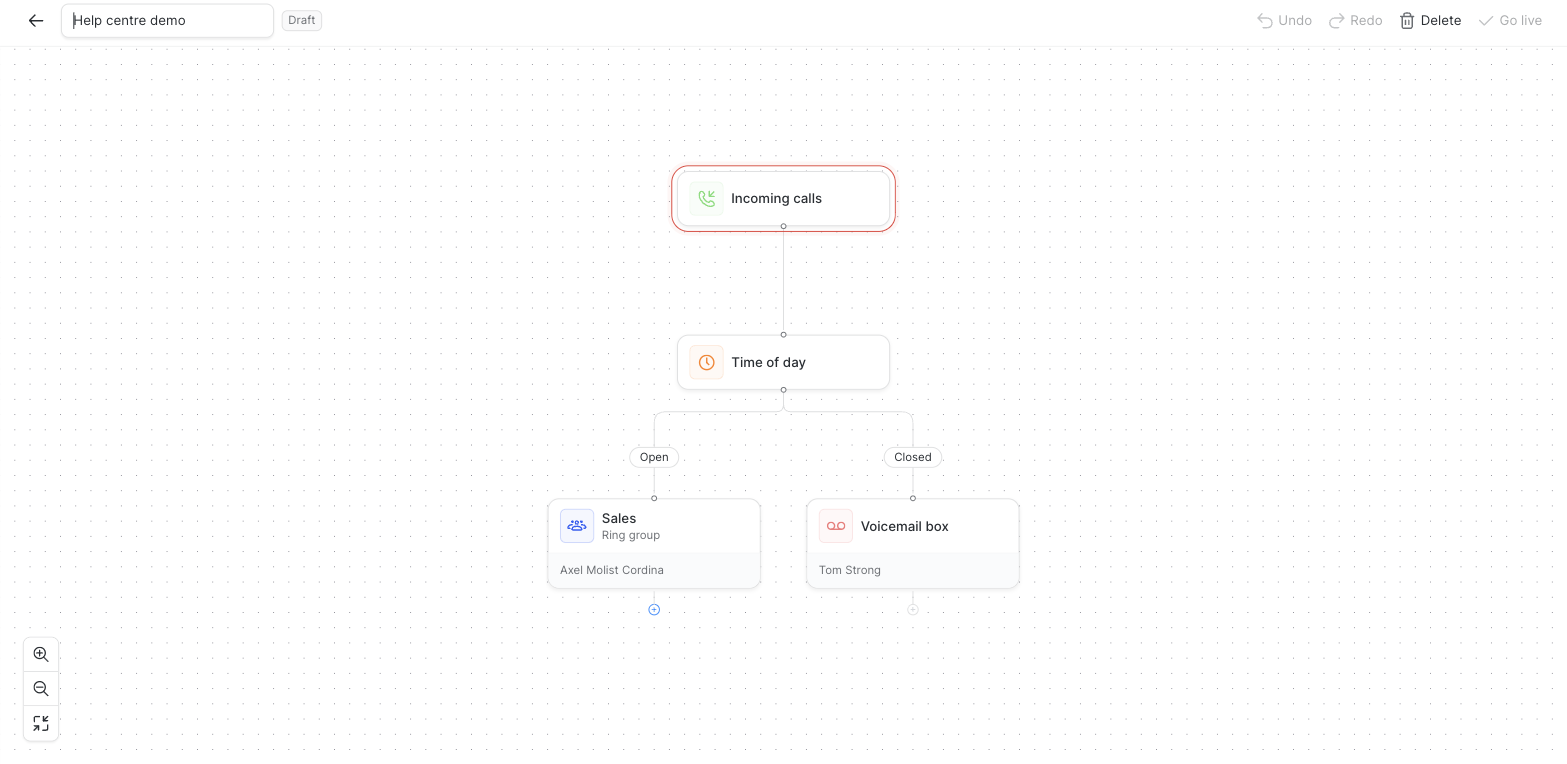
Time of day splits the flow into Open and Closed branches on a schedule, so callers get different treatment out of hours.
Auto attendant plays a menu: "press 1 for sales, 2 for support", with a branch for each key.
Ring group rings several colleagues at once, or one after another.
Call queue holds callers in a line until someone is free.
Colleague sends the call to one person.
Voicemail box takes a message, with its own greeting and PIN.
Announcement plays a recording, then carries on.
Call forwarding sends the call to an outside number, such as a mobile or an answering service.
Conference drops the caller into a conference room.
A simple flow is Time of day, then a Ring group on the Open branch and a Voicemail box on the Closed one. Most businesses need nothing more.
Draft and live
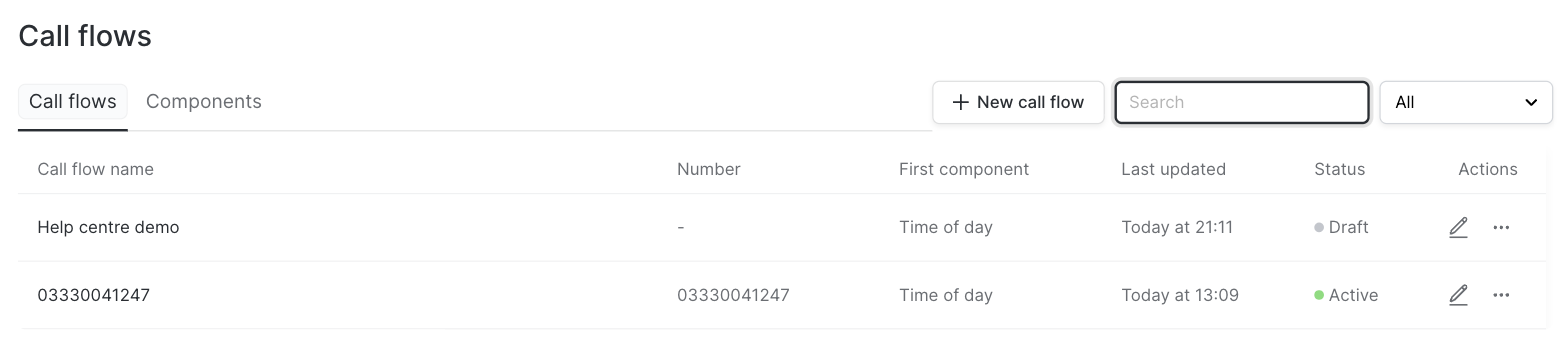
A new flow starts as a Draft. Nothing changes for callers until you press Go live, so you can build and adjust at your own pace. A live flow shows as Active in the list, a draft shows as Draft with no number against it until it goes live, and you can edit it, unpublish it or delete it from the pencil and menu icons on its row.
One number can only have one live flow. If you assign a number that's already in use, the new flow takes over when it goes live.
Components
Ring groups, voicemail boxes and the other steps you create are saved as Components, on the second tab of the Call flows page. You can reuse them across flows, and the list shows how many live flows use each one.
Related
Was this helpful?
Still need help? Ask the team